Transcript
00:03Easily add your products to the I devices connected app before you start,
00:09ensure that your phone or tablet is connected to your home's 2.4 gigahertz wi Fi network.
00:16Locate your product's home kit code. And for the wall and dimmer switch,
00:19determine if the location is single pole three or four way.
00:24The I devices connected app is available to download on the app store and Google play open
00:31the I devices connected app and follow the onscreen prompts.
00:35Access to home data is required for setup. It allows you to control any home kit
00:40compatible product in the app allow notifications so we can send you product and
00:45firmware updates, sync with icloud to ensure your app data is backed up securely and to
00:52transfer app data to new IOS devices enable location services for accurate energy
00:58reports, location based triggers and to automatically switch homes in the app based on
01:04your location to add a product tap which product you're adding and follow the onscreen
01:10prompts for wall and dimmer switch, determine if the location is single pole three or four
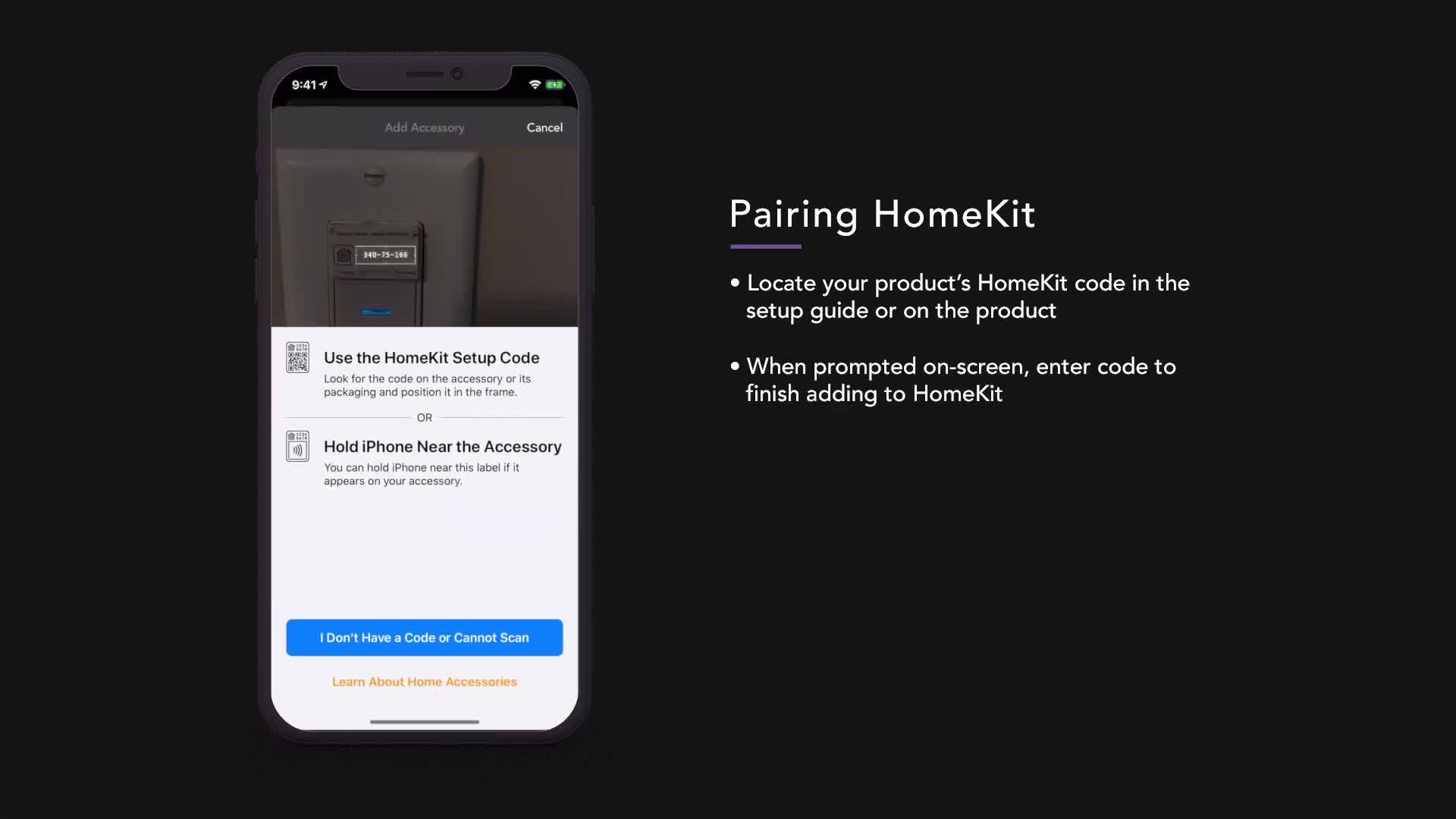
01:16way when pairing to home kit, locate your product's home kit code in the setup guide or
01:22on the product when prompted on screen, enter the code to finish adding to home kit.
01:28Home kit codes can be found in all product setup guides,
01:32pull out tabs for wall switch, dimmer switch and wall outlet or on screen for thermostat.
01:39Add your product to a room based on where it's being installed.
01:43Get started with a suggested scene from home kit or press done to continue set up.
01:51Give your product a name based on what it's controlling, use names for organization and
01:56voice commands. If you're setting up wall outlet,
02:00the app will ask you to name both the top and bottom outlet.
02:03Receptacles, select a default photo for your product or take your own.
02:10The trim setting process optimizes dim levels based on your bulb trim setting only applies to
02:17dimmer switch, register your
02:24product to receive education, emails and promotions.
02:30Congratulations.
02:31You've added your first product.

iDevices Getting started with the iDevices Connected app
- private