Transcript
00:00Devices has made it simple to install your instinct.
00:03In a few short steps, you'll transform your existing wall switch into a connected wall
00:08switch with built in Alexa.
00:10Depending on your setup, you will need a Phillips head screwdriver and a flathead
00:14screwdriver. A voltage detector is required for identifying
00:18your existing wiring.
00:20And pliers are helpful in straightening out old wires in the box.
00:26You will find the parts you need for installation.
00:29The instinct wiring guide face plate, wall plate and a few wire nuts.
00:35Instinct works in a single pole, set up a single pole set up is when one light switch
00:40controls one set of lights.
00:42If you have multiple light switches controlling one set of lights,
00:46you have a multi way set up. An instinct is not compatible at this location.
00:55Instinct must be installed in a manner that conforms to all applicable national state and
01:00local building codes.
01:02If you are unclear at any point, please contact the I devices.
01:05Customer experience team, turn off the power at
01:12your breaker or fuse panel for the appropriate circuit of your home.
01:16Turn the existing light switch on then off to confirm the power has been turned off.
01:23Remove the existing face plate, unscrew and pull the switch carefully out of the gang box.
01:31Make sure you have a neutral wire junction in the gang box.
01:35This is typically a bundle of white wires grouped together.
01:39If your gang box doesn't contain a neutral wire, instinct is not compatible at this gang box
01:44location, excluding the green or bare copper ground wires.
01:50If you have more than two wires connected to your switch,
01:53you may have a multi way configuration in which instinct is not compatible.
01:58Take a photo of your existing wiring for future reference, disconnect the old
02:05switch, turn the power back on at the breaker before installing
02:12instinct. Let's identify the wires in the gang box.
02:17Neutral wires will usually be white and are often bundled together.
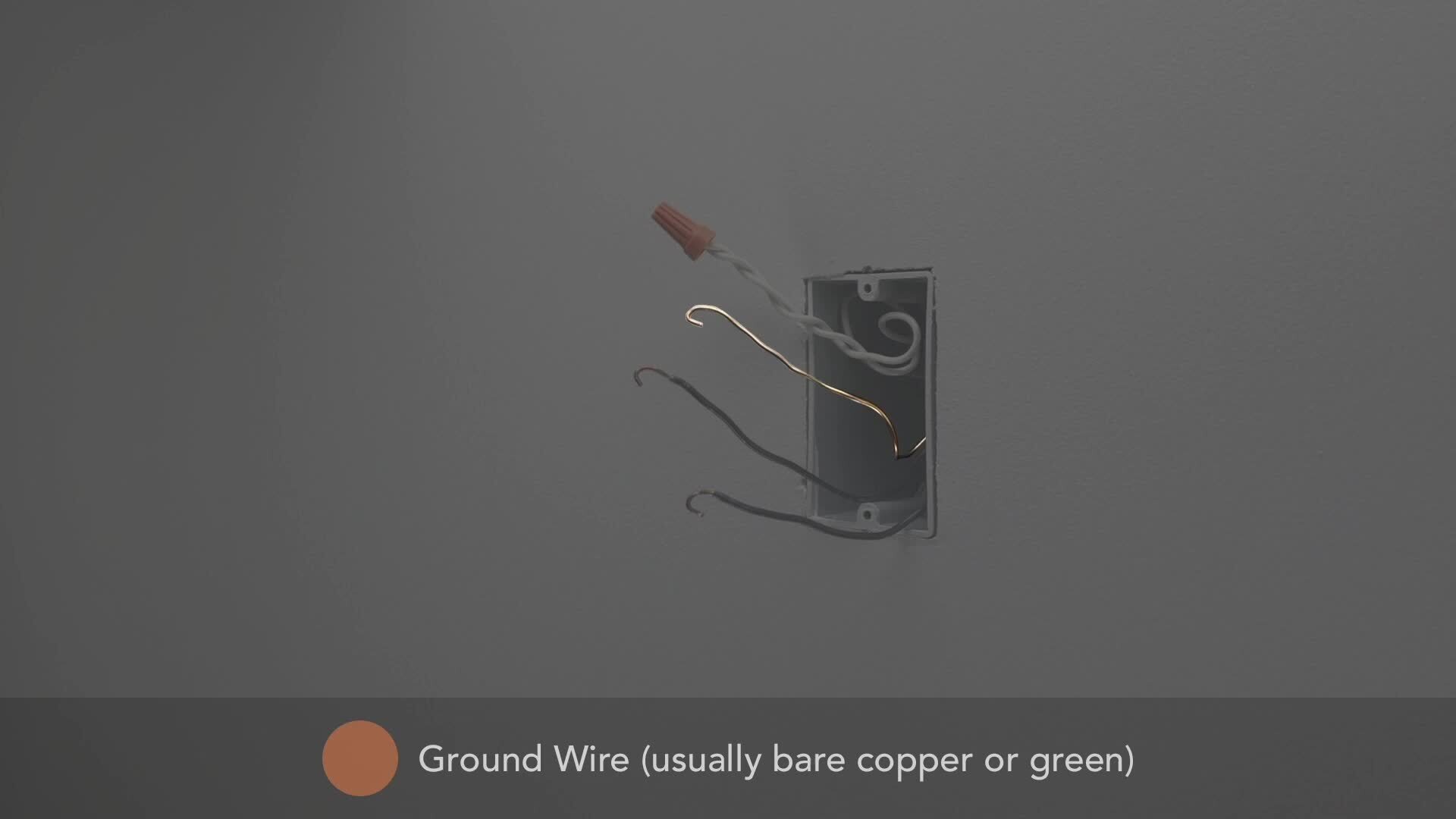
02:21The ground wire is usually bare copper or green to easily identify the load and line
02:28wires. Both usually black use a voltage detector.
02:34The energized wire is the line wire.
02:37Note this wire for reference and mark with tape. If it's helpful,
02:44the wire that is not energized is the load wire.
02:47Note this wire for future reference as well, turn the power back off at the
02:54breaker straighten out the
03:00wires. Instincts wires are labeled on the back for
03:06easy identification.
03:10Connect the red load wire on instinct to the load wire you removed from the previous switch.
03:19Connect the black line wire on instinct to the line wire you removed from the previous switch.
03:25This was the energized wire. You noted previously,
03:31remove the wire nut from the white neutral wire bundle in the gang box and attach instinct's
03:37white neutral wire to that grouping of wires.
03:43Finally connect the green ground wire on instinct to the ground wires in the gang box,
03:51ensure the wire caps are securely fastened and carefully push the wires into the gang box,
03:57taking care not to pinch any wires.
04:01Screw instinct into the gang box.
04:07Install the wall plate followed by the face plate.
04:13Instinct fits any standard size rock or face plate.
04:17So you may choose to select one that's best for your home.
04:21Turn the power back on at the breaker and confirm that the Alexa Ring lights up blue and
04:26begins to spin. Congratulations. Your instinct is now installed.
04:33Launch the instinct switch app to be guided through the final set up and link your Amazon
04:38account if you want to learn more about instinct or need additional help.
04:44Head over to I devices. Inc.com/support.

iDevices Install Guide iDevices Instinct™
- private