Take a TourBenefits are derived from well implemented Solutions. The challenge to save energy, improve safety or make sure everything continues to perform in a harsh environment, are all candidates for good solutions.
Take a Tour of the Markets We ServeHubbell serves the needs of customers in a variety of market applications. See our major markets and building types below.
Transcript
00:04The I devices connected app provides you with insights into your home's energy usage by
00:10showing the wattage draw, estimated cost and average hours products are used.
00:18The energy reporting feature is available for the I devices switch,
00:22outdoor switch and wall outlet.
00:25When location services are enabled in your OS settings, the app will show your local state or
00:31province rates.
00:32If location services are not enabled, the national average will be shown
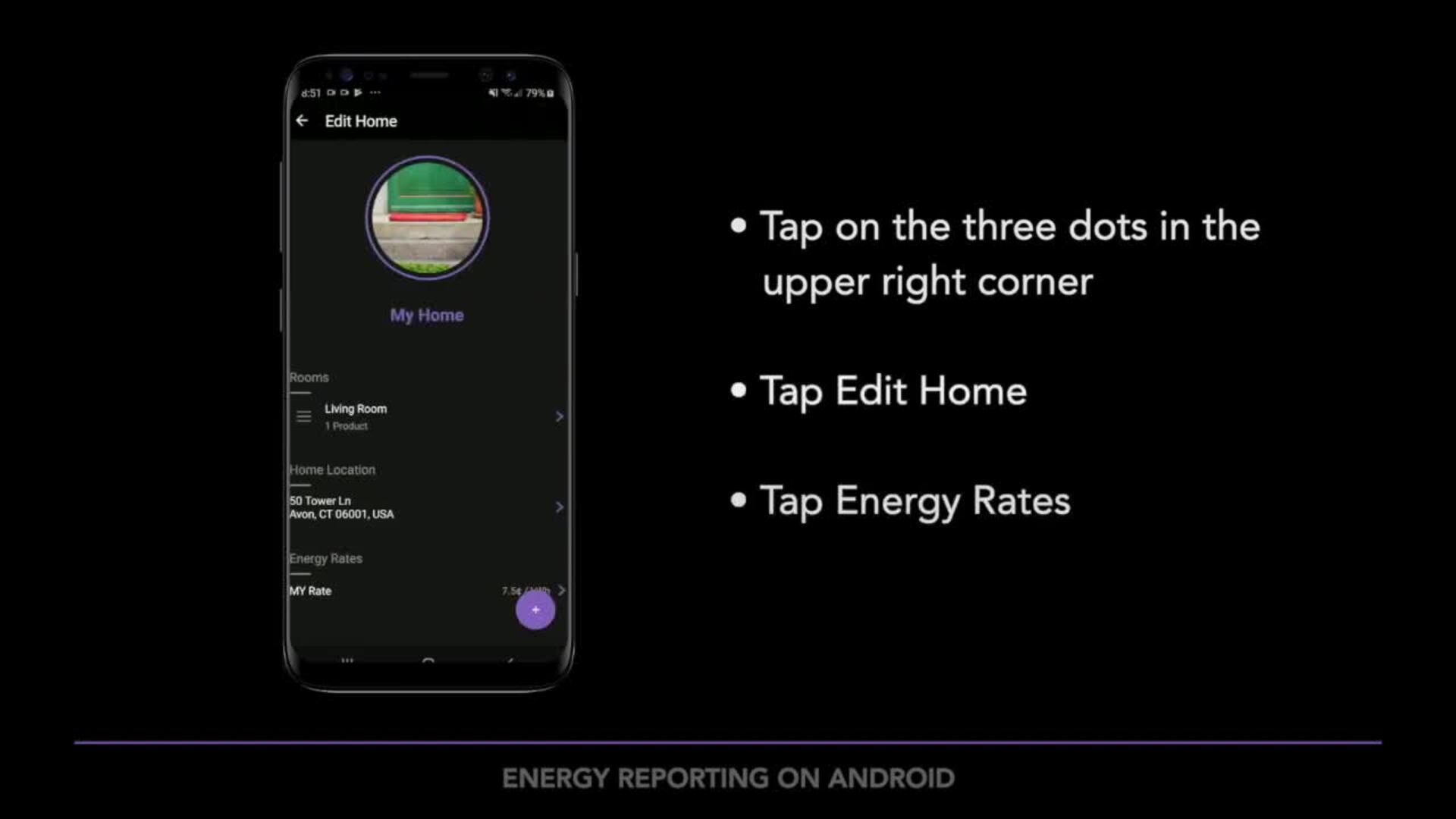
00:40if you wish to customize your rate, you can tap on the three dots in the upper right corner of
00:45the home dashboard tap, edit home tap my rate
00:53here. You can enter the specific rate you find on
00:56your energy bill, tap, done to save your changes.
01:01To view the energy report. Tap on the energy icon on the top NAV bar here
01:06you will see the day view.
01:08The energy report debut will show you the average wattage cost and hours products are
01:13used per day in your whole home. From this screen.
01:17If you tap on the three dots in the upper right corner, you can also view your home averages
01:22for the week, month, year or all time tapping on an individual product gives you energy
01:29insights into that specific product for any time period.
01:33You select if you want to learn more about I devices, products or need additional
01:39help. Head over to I devices. Inc.com/support.